Online Alarm Clock
A free browser alarm clock with sounds, snooze, timezone alarms, and saved alarms.
The online alarm clock at setalarmclock.net turns any browser tab into a reliable alarm — pick a time, choose a sound, and it rings even when the tab is in the background. No download, no account, and it works the same on desktop and mobile.
It goes well beyond a basic timer: timezone alarms, saved alarms with their own shareable links, snooze, and a live clock with a “rings in 14h 27m” preview so you always know what you set.
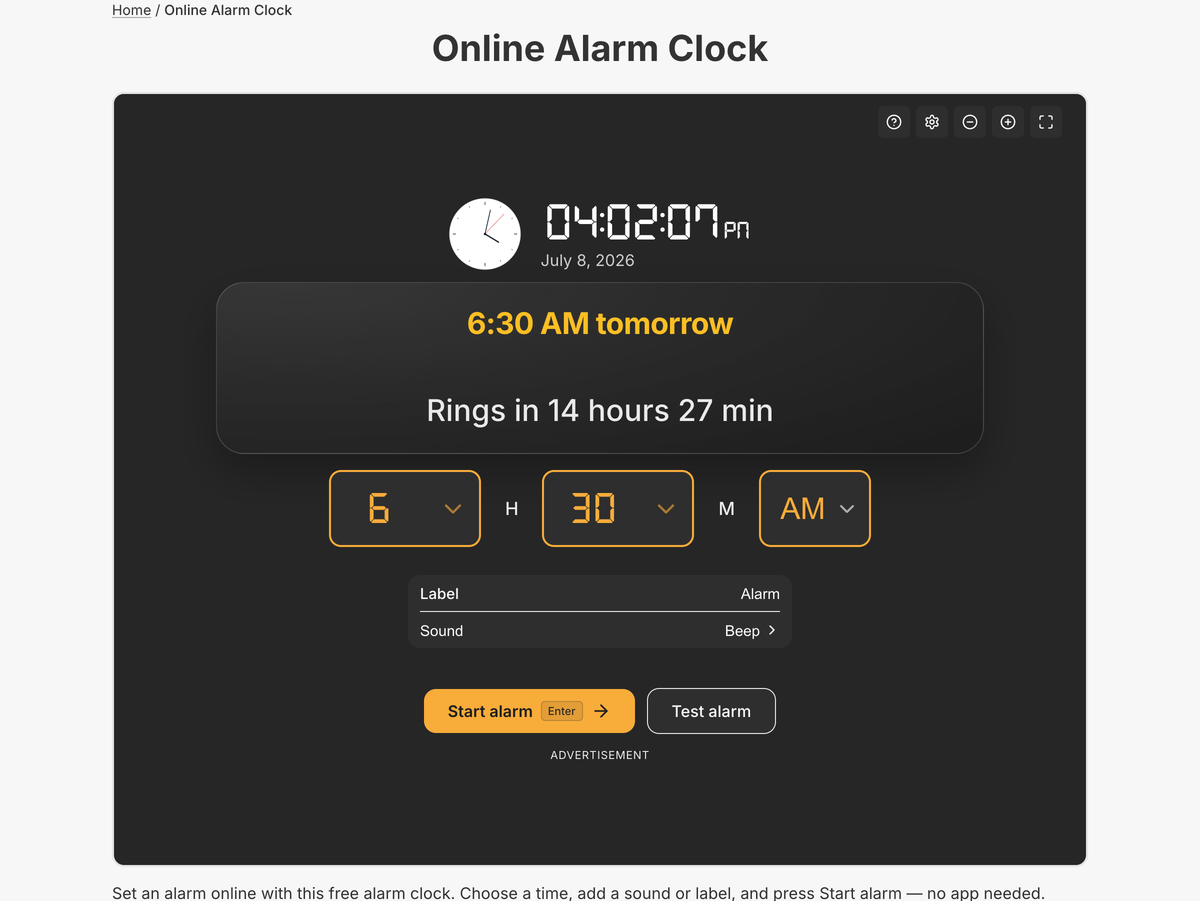
What the full online alarm clock does
- Live analog + digital clock with a “rings in Xh Ym” preview before you start
- 6 alarm sounds (Beep, Tornado Siren, Bike Horn, Baby Just Born, Music Box, Sunny Day) with a gradual volume ramp
- Custom label/message plus a one-tap “Test alarm” preview
- Snooze (5 min) and a configurable auto-stop for the ringing alarm
- Timezone alarms — ring at a chosen city’s local time and see your equivalent time
- Saved alarms stored in your browser, each with a unique bookmarkable URL
- Rings in the background: blinking tab title + favicon, screen wake-lock, and vibration
The full tool remembers your alarms and lets you reopen any of them from a link, set alarms for other timezones, and keep ringing reliably when your laptop would otherwise sleep — features a simple embedded widget doesn’t carry.
Because every alarm lives at its own URL, you can bookmark “6:30 AM wake-up” or share a specific alarm with someone else, and it opens ready to start. Nothing syncs and nothing signs in — the whole configuration travels in the address.
Common use cases
- Morning wake-ups and nap timers
- Meeting and appointment reminders
- Timed breaks during work or study
- Waking to a specific city’s time before travel
- A shared alarm link for an event or shift
How to use the online alarm clock
- 1
Choose the hour and minute, and pick AM/PM or 24-hour format.
- 2
Add a label and select one of the six alarm sounds.
- 3
Press Start alarm and keep the tab open — it rings at the set time.
- 4
Optionally save the alarm or copy its link to reuse it later.
More free tools on Set Alarm Clock
Set Alarm Clock is a whole suite of free time tools. If the online alarm clock is useful, you’ll probably want these too:
Bonus feature
Have a website? Embed this widget
Beyond the full tool, setalarmclock.net lets you drop a working online alarm clock straight onto your own site. The example below is just one ready-made configuration, shown running live (embedded from setalarmclock.net onto this page). To build your own — set the time, theme, size and more — use the free embed builder and copy the code it generates.
Powered by setalarmclock.net
<div style="max-width:500px;margin:0 auto;">
  <iframe src="https://embed.setalarmclock.net/embed/alarm/c/eyJ2IjoxLCJ0aW1lIjoiMDc6MzAiLCJsYWJlbCI6Ildha2UgVXAiLCJ0aGVtZSI6ImRhcmsiLCJiZyI6InRyYW5zcGFyZW50In0=" width="100%" height="480" frameborder="0" scrolling="no" title="Online alarm clock set for 07:30" style="border:0;max-width:100%;" loading="lazy"></iframe>
  <p style="text-align:center;font-size:12px;margin-top:4px;color:#666;"><a href="https://setalarmclock.net/online-alarm-clock" target="_blank" rel="ugc noopener">Powered by setalarmclock.net</a></p>
</div>
Keep the “Powered by” credit — it’s the attribution link back to setalarmclock.net.
This snippet is one example. Change the settings and generate your own on the embed builder.
Frequently asked questions
Does the alarm work if I switch to another tab?
Yes. It keeps running in the background, blinks the tab title and favicon, and requests a screen wake-lock so your device stays awake until it rings.
Can I set an alarm for a different timezone?
Yes. The full tool includes timezone alarms that ring at a chosen city’s local time and show you the equivalent time in your own zone.
Do I need to install anything or create an account?
No. It runs entirely in your browser with no download and no sign-up, and your alarms are saved locally on your device.
Ready to use the online alarm clock?
Open the full, free tool on setalarmclock.net — no account, no download.