Online Timer
A free countdown timer with quick presets, a progress ring, and an alarm at zero.
The online timer at setalarmclock.net counts down from any duration and alerts you at zero. Set hours, minutes, and seconds, or tap one of seven quick presets, and a circular progress ring shows the time draining away.
It’s the timer recipe sites, teachers, and gym-goers reach for — pause and resume, add time mid-run, and it even tells you the exact clock time your timer will end.
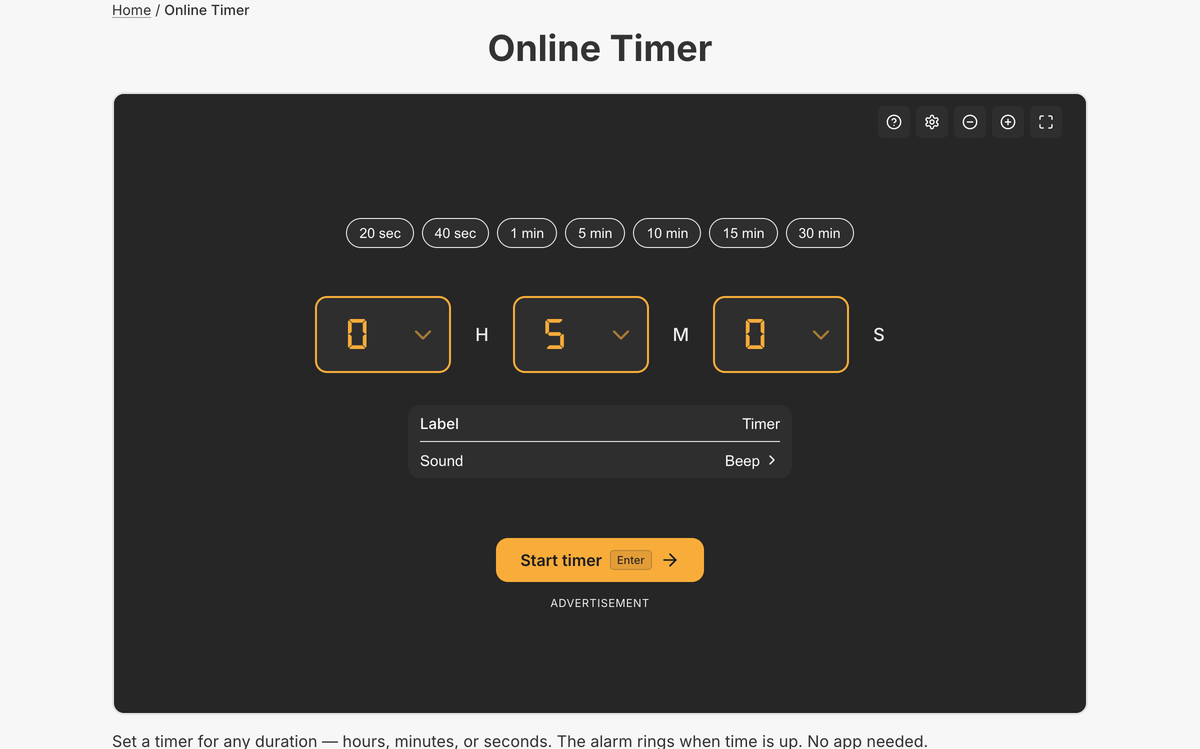
What the full online timer does
- H/M/S entry plus 7 quick presets: 20s, 40s, 1m, 5m, 10m, 15m, 30m
- Circular progress ring with warning/urgent colors and an “ends at” clock time
- Pause/resume, plus live adjust while running (+10s, +30s, +1m, −10s)
- Custom message and 6 sounds with a gradual volume ramp
- On finish: restart, or quick-start another 1/5/10/25-minute timer
- Saved timers and a shareable URL; the countdown mirrors into the tab title
On the full page you can save your go-to durations, share a ready-to-run timer by link, and fine-tune a running timer — the embed is a clean drop-in, but the tool page is where the power controls live.
The progress ring and “ends at” time make it easy to glance and know how long is left, and because a running timer keeps ticking in the tab title, you can start it and switch to another task without losing track.
Common use cases
- Cooking and recipe steps
- Workout intervals and rest periods
- Timed exams, quizzes, and study blocks
- Presentation and talk time limits
- Steeping, proofing, and boiling reminders
How to use the online timer
- 1
Enter hours, minutes, and seconds, or tap a quick preset from 20s to 30m.
- 2
Add an optional label and choose an alert sound.
- 3
Press Start — the ring shows time remaining and the exact end time.
- 4
Pause, add time, or restart at any point.
More free tools on Set Alarm Clock
Set Alarm Clock is a whole suite of free time tools. If the online timer is useful, you’ll probably want these too:
Bonus feature
Have a website? Embed this widget
Beyond the full tool, setalarmclock.net lets you drop a working online timer straight onto your own site. The example below is just one ready-made configuration, shown running live (embedded from setalarmclock.net onto this page). To build your own — set the time, theme, size and more — use the free embed builder and copy the code it generates.
Powered by setalarmclock.net
<div style="max-width:500px;margin:0 auto;">
  <iframe src="https://embed.setalarmclock.net/embed/timer/c/eyJ2IjoxLCJkdXJhdGlvbiI6NjAwLCJsYWJlbCI6IjEwIE1pbnV0ZSBUaW1lciIsInRoZW1lIjoiZGFyayIsImJnIjoidHJhbnNwYXJlbnQifQ==" width="100%" height="340" frameborder="0" scrolling="no" title="Online timer counting down from 10 minutes" style="border:0;max-width:100%;" loading="lazy"></iframe>
  <p style="text-align:center;font-size:12px;margin-top:4px;color:#666;"><a href="https://setalarmclock.net/online-timer" target="_blank" rel="ugc noopener">Powered by setalarmclock.net</a></p>
</div>
Keep the “Powered by” credit — it’s the attribution link back to setalarmclock.net.
This snippet is one example. Change the settings and generate your own on the embed builder.
Frequently asked questions
Can I add time while the timer is running?
Yes. Quick buttons add +10s, +30s, or +1m — and remove 10s — without stopping the countdown.
Will it alert me if I’m on another tab?
Yes. The remaining time shows in the browser tab title, and the favicon blinks when the timer reaches zero.
Can I save timers I use often?
Yes. The full tool saves timers by duration and lets you share a specific timer with a link.
Ready to use the online timer?
Open the full, free tool on setalarmclock.net — no account, no download.